
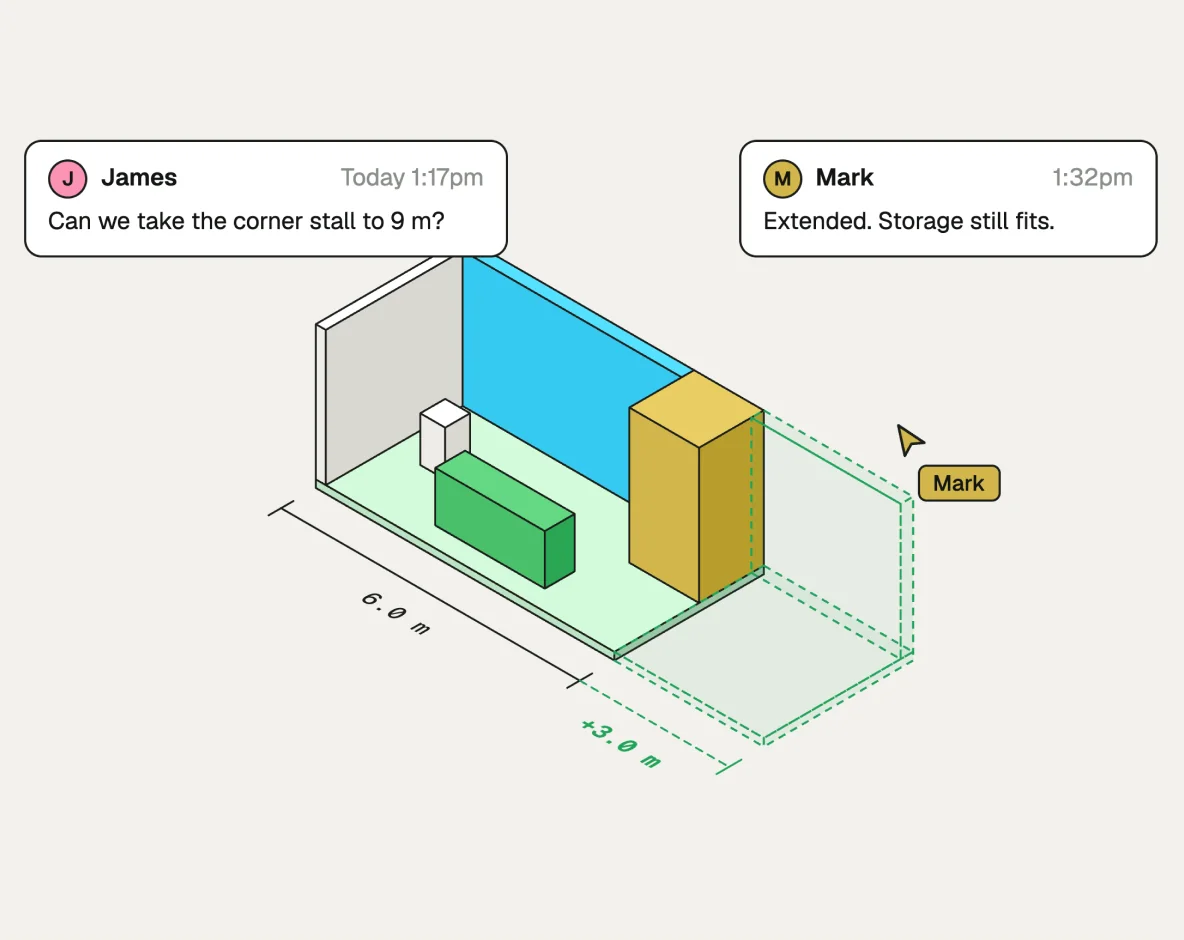
Custom stall
Enter the stall size, the open sides and the brief, and get a booth built to those exact dimensions. Resize it, move zones around and comment right on the model.
Boothlane turns a plain-language brief into photoreal 3D booth concepts in about 60 seconds. Edit them, render in 4K and send your client a link they can walk through

How it works
Three ways teams use Boothlane today.
Describe
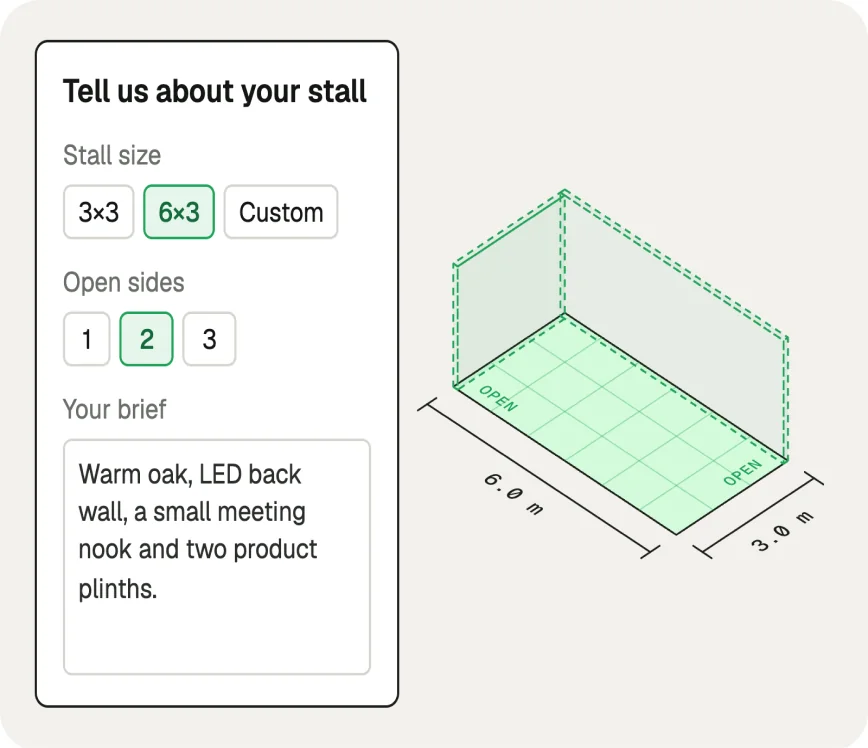
Set the stall size, then write the brief the way your client said it: style, materials, furniture, lighting.
Design
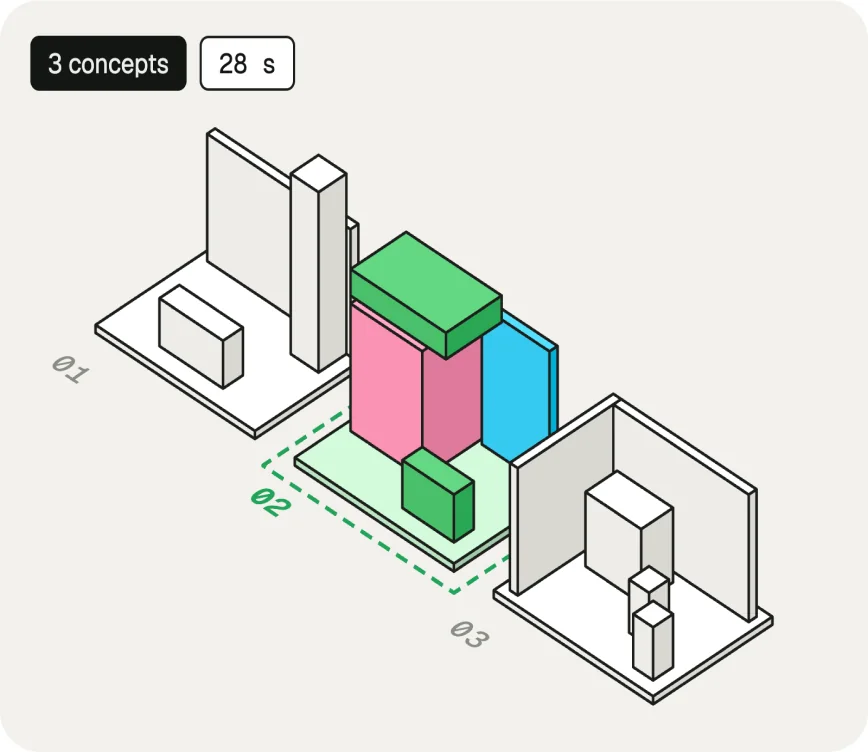
About 60 seconds later you have 3–5 photoreal concepts to compare, not one rushed mock.
Export
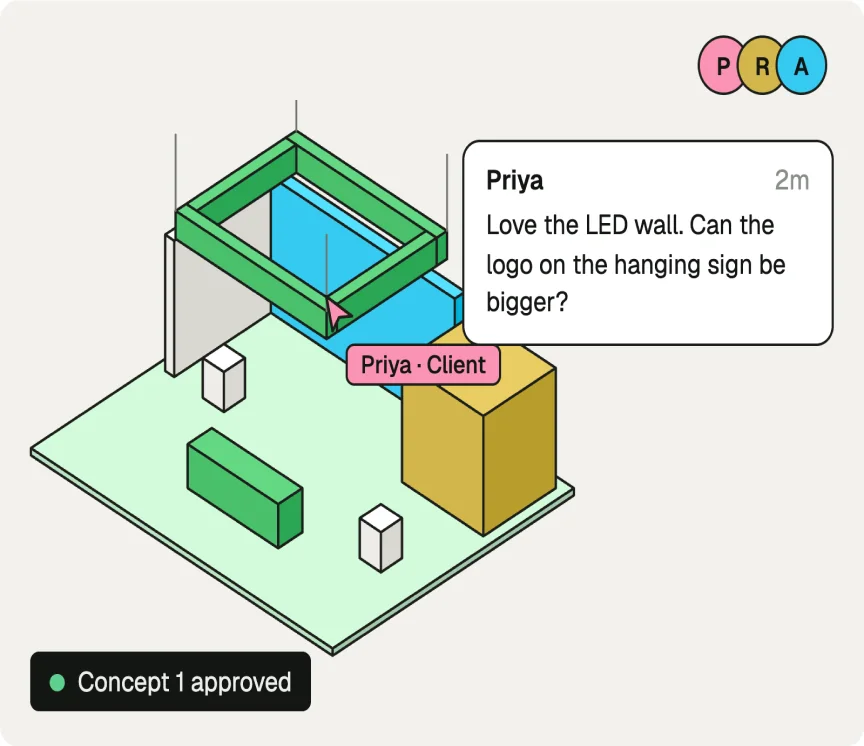
Export 4K stills for the deck, or send a 3D link your client can orbit and walk through.
Features
Boothlane is the fast, intuitive 3D booth design tool built for exhibitors, by people who get trade shows.
Learn moreEnter the stall size, the open sides and the brief, and get a booth built to those exact dimensions. Resize it, move zones around and comment right on the model.
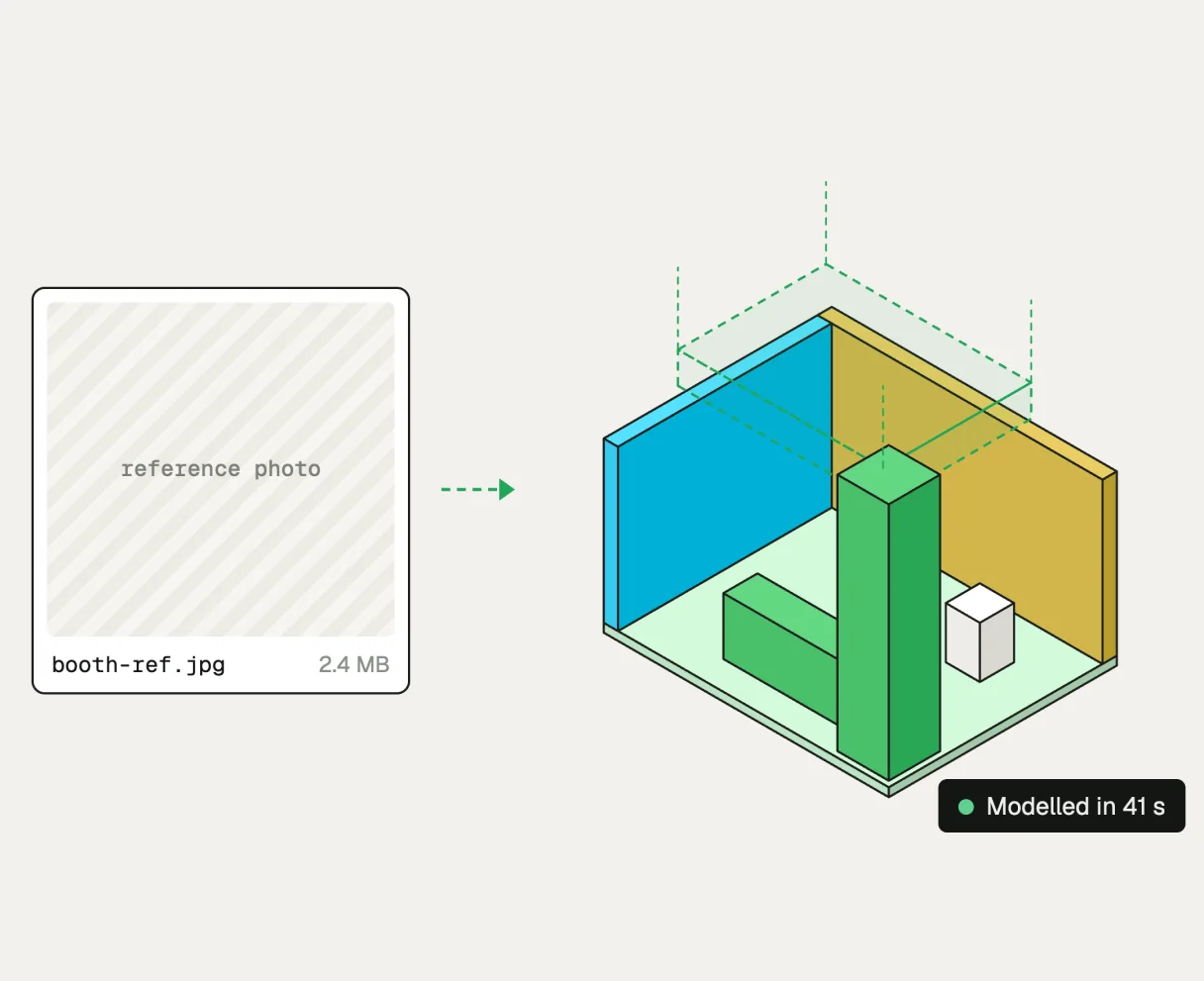
Upload a photo of a booth your client likes, from a past show, a competitor or a Pinterest board. Boothlane turns it into an editable 3D model.
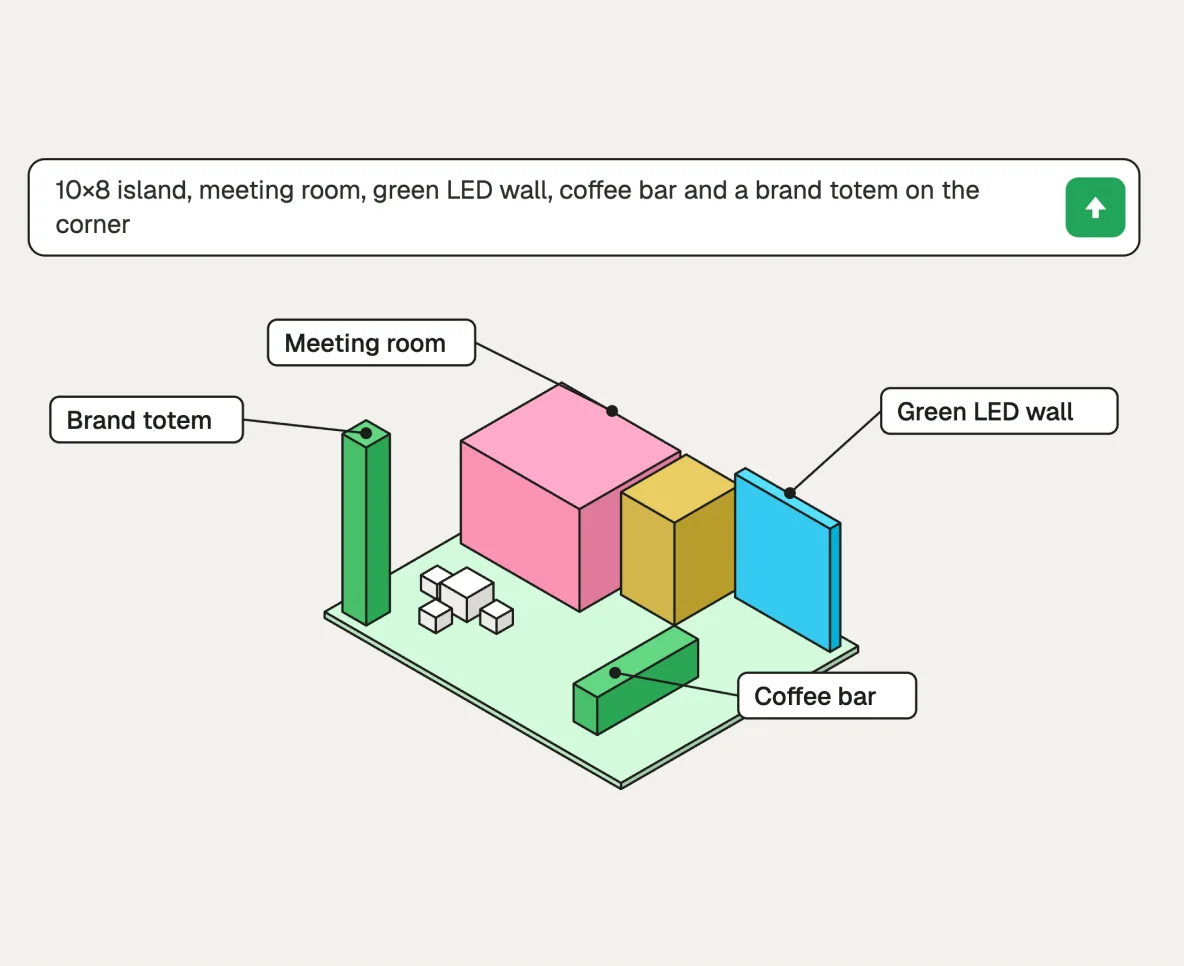
Describe the booth in plain language, such as "10×8 island, meeting room, green LED wall, coffee bar". Each part of the prompt becomes a labelled zone in the model.
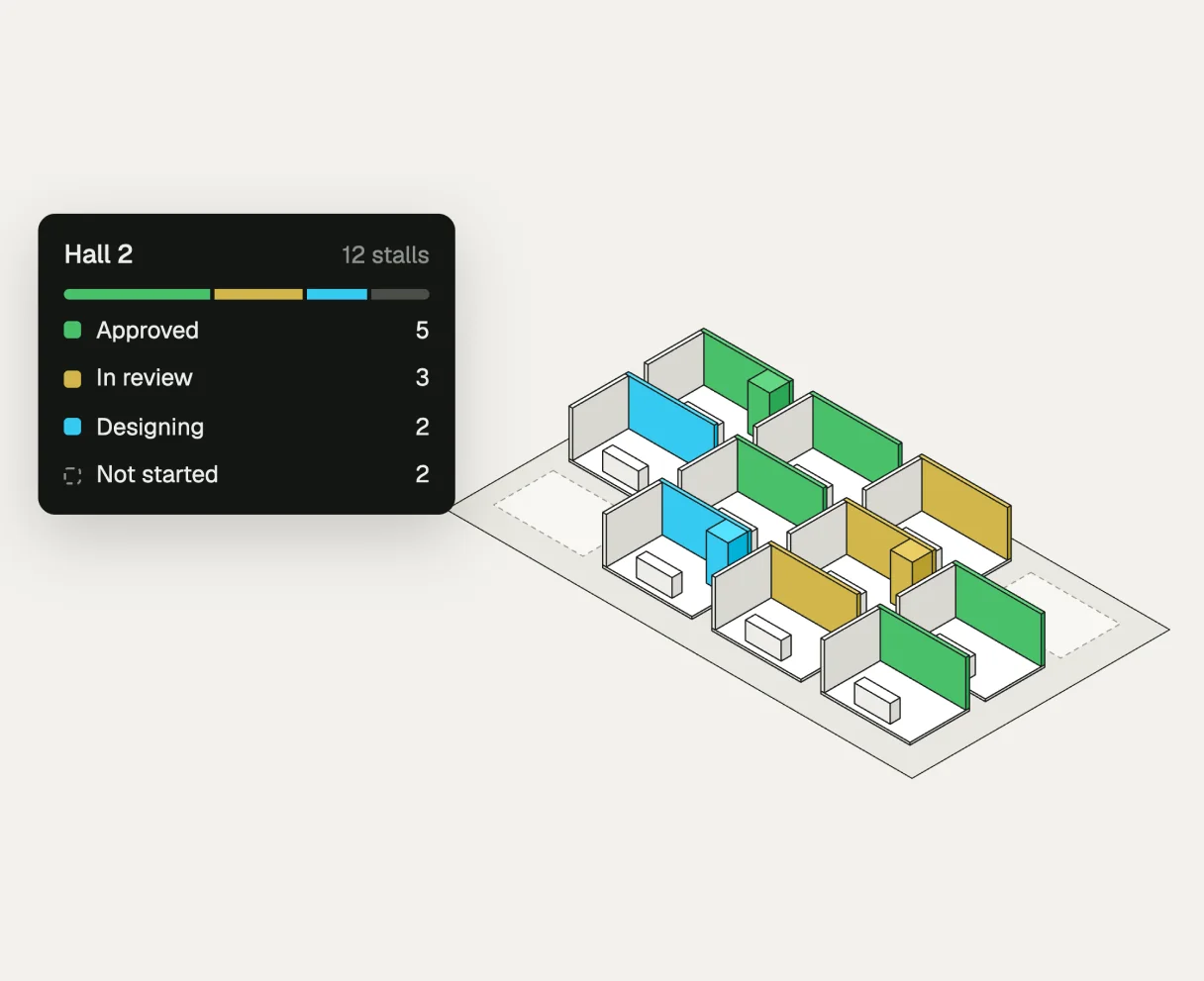
Organisers and contractors can manage every stall in a hall from one floor view. See which exhibitors are approved, in review or still designing.
Testimonials
“I used to plan my evenings around render times. Now the first concept is back before I've finished writing up the brief, and the geometry actually holds up.”
“We walk into the first meeting with five concepts instead of one. Clients stopped asking us to go away and come back next week.”
“I did not expect an AI to understand exhibition design. It laid out the traffic flow better than the draft my team had spent two days on.”
“We used to turn down last-minute briefs because we could not draw them in time. Now those are the jobs we take.”
“The client wanted something modern but classic, bold but subtle. Six variations in a minute meant we could stop guessing and just show them.”
“My juniors were spending most of their week on modelling busywork. That part is automated now, so they are back on the creative work they were hired for.”
FAQ
Boothlane by EaseMyExpo is an AI-powered 3D trade show booth design platform built for exhibitors and agencies. It helps you generate photorealistic stall concepts quickly from your booth details and brand inputs. Instead of starting from scratch in complex design tools, you can create multiple visual directions in minutes. The goal is to speed up early design exploration, internal alignment, and client approvals.
Most standard generations are completed in under 60 seconds. Based on your prompt quality and booth details, the platform typically returns 3 to 5 photorealistic concept options per run. If your request is more detailed, processing may take a bit longer to preserve output quality. You can immediately iterate to refine style, layout, branding, and presentation impact.
No, you do not need CAD expertise or professional design software skills. Boothlane by EaseMyExpo is designed for exhibitors, brand managers, and agency teams who need strong concepts quickly. As long as you can provide booth size, open-side type, and brand direction, the system can generate useful results. This makes it easier for non-design teams to participate in early booth planning.
Boothlane by EaseMyExpo uses a credit-based, pay-per-generation model. New accounts receive 3 free credits on signup, and can purchase additional credits when needed. Each generation consumes credits based on the output request. There is no mandatory long-term subscription lock-in for basic usage. See easemyexpo.com/pricing for current packs.
Boothlane by EaseMyExpo supports the standard trade show booth configurations used by most venues. This includes island booths with four open sides, peninsula booths with three open sides, corner booths with two open sides, and inline booths with one open side. Selecting the correct layout helps the AI plan visibility, visitor flow, and branding zones more accurately. You can then refine style and features for your specific industry use case.
Yes, branding customization is a core part of the workflow. You can provide brand color preferences, upload logos, and guide fascia styling in your prompt. The system uses these inputs to produce concepts that feel closer to your visual identity. This helps your team and stakeholders evaluate brand fit much earlier in the process.
Yes, you can upload reference images to guide output direction. These can include your previous stalls, inspiration visuals, or benchmark designs you want to learn from. Reference-led prompts help the AI align better with your preferred structure, mood, and presentation style. It is a practical way to reduce back-and-forth when multiple stakeholders are involved.
Yes, outputs are well-suited for client presentations and early fabrication conversations. The platform provides photorealistic renders that help communicate design intent quickly to decision-makers. Fabrication partners can use these visuals for initial understanding, scope discussions, and rough quoting. For final production, many projects still require technical drawings and engineering validation.
Yes, your uploaded assets and generated outputs are treated as confidential project data. This includes logos, color references, prompts, reference images, and rendered booth concepts. The platform is intended for professional use where brand privacy and pre-launch campaign secrecy matter. If you have enterprise compliance requirements, it is best to confirm policy details directly with the team.
 Start designing